Lessons from Working on 60+ HubSpot Portals
By Shubham Nigam · October 8, 2026
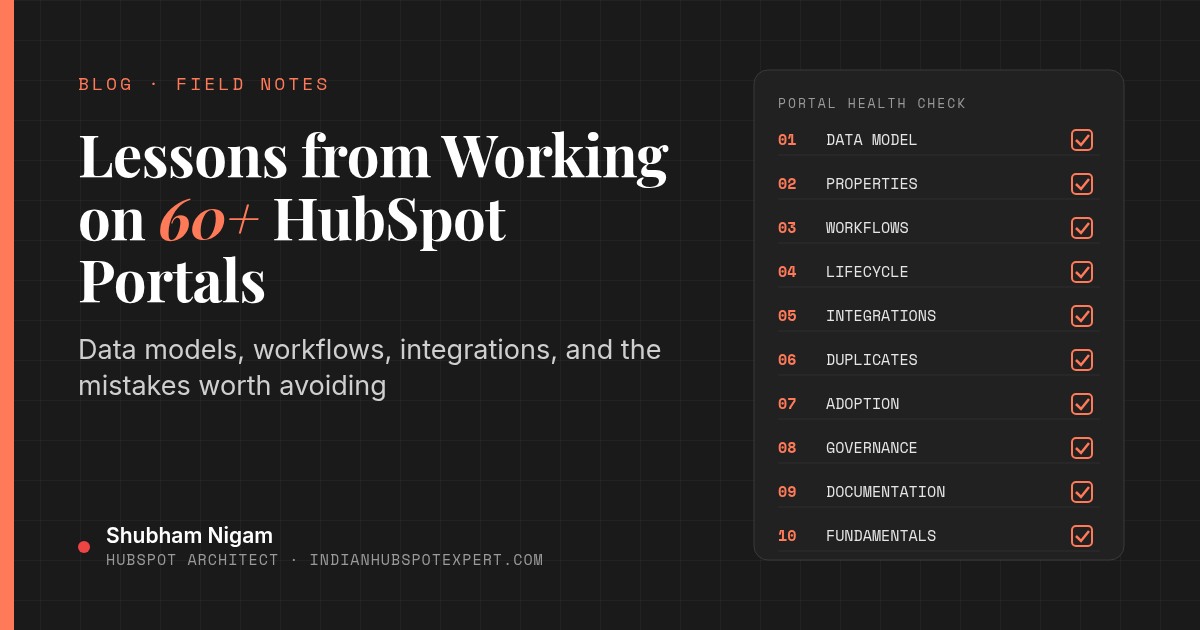
People sometimes ask what makes someone a real HubSpot expert. For me, the honest answer is repetition. I've worked hands-on in 60+ HubSpot portals over about 10 years, across marketing automation, admin, and architecture roles. After a while, the same patterns show up, good and bad.
I'm Shubham Nigam, a HubSpot architect in Bengaluru. These are the lessons that have stuck. None of them are secret. They are the things I wish every team knew before they started building.
Lesson 1: Every portal has a data model, designed or not
The first thing I look at is the data model: which objects are used, how they are associated, and which properties exist. In a well-run portal, someone made those choices on purpose. In a struggling one, the model grew by accident, one import and one form at a time.
The fix is not always a rebuild. Often it is writing down the intended model, then moving the portal toward it: merging duplicate properties, clarifying which object owns which data, and retiring fields nobody uses.
What I'd do first:
- List every custom property and who uses it.
- Identify duplicates, for example three different "Industry" fields.
- Decide which system is the source of truth for each important field.
Lesson 2: Property sprawl is the silent killer
Creating a property takes seconds. Cleaning up a long list of them takes weeks. I've seen portals where nobody could say which of several similar fields was the real one, so reports quietly disagreed with each other.
My rule now: every new property needs an owner, a description, and a reason to exist. Use the property description field. The next admin will need it.
Lesson 3: Workflows need architecture too
Workflows are where portals get complicated fastest. One workflow sets lifecycle stage, another resets it, a third sends a notification based on the wrong value. Each one looked sensible when it was built.
What helps:
- Naming that says what a workflow does and which team owns it.
- One owner per critical field. If automation sets lifecycle stage, decide which workflow is allowed to set it.
- Folders and documentation so anyone can find the logic.
- Regular reviews to turn off workflows that no longer serve a purpose.
Lesson 4: Lifecycle stages deserve a real conversation
Lifecycle stage is one of the most important properties in HubSpot, and one of the most misused. Marketing, sales, and leadership often mean different things by MQL or SQL. If those definitions are not written down, no amount of automation will fix the funnel reports.
I treat a lifecycle definition workshop as a required step in any serious engagement. Agree the stages first, then automate them.
Lesson 5: Integrations are where costs hide
Native integrations and marketplace apps are useful, but every connection is a new path for data to enter, change, or duplicate. A custom integration needs more care: field mapping, sync direction, error handling, and monitoring. At Edgio I built a HubSpot to Oracle Fusion integration with HubSpot's APIs and Python, and the design decisions mattered more than the code.
Design the integration on paper before writing anything, and decide up front what happens when the sync fails.
Lesson 6: Duplicates are a process problem, not a data problem
Teams often ask for a one-time dedupe. That helps, but duplicates come back unless you fix the entry points: imports without unique identifiers, forms that create new companies, integrations that do not check before creating. Find where duplicates are born, then close those doors.
Lesson 7: Adoption beats features
I've seen carefully designed portals that nobody used, and fairly simple portals that the whole company relied on. The difference was almost always adoption: training, clear views, sensible required fields, and leaders who actually used the dashboards in meetings.
The job is not only to build. It is to make the system easy enough that people choose to use it.
Small things that drive adoption:
- Saved views for each team's daily work.
- Record layouts that show the few fields people actually need.
- Fewer required fields, chosen carefully.
- Short, role-specific training instead of one long demo.
Lesson 8: Permissions and governance matter earlier than you think
When a portal has a handful of users, everyone can be a super admin. Once more people are in it, that becomes risky. Teams, permission sets, and a simple change process, set up early, save a lot of cleanup later.
Lesson 9: Documentation is part of the build
Every portal I've inherited without documentation took longer to understand than it should have. I treat documentation as a deliverable: the data model, key workflows, integrations, and known limitations. It does not need to be long. It needs to exist.
Lesson 10: Different setups, same fundamentals
The environments have been very different. I was Marketing Automation Expert at MakeWebBetter, a HubSpot Platinum Solutions Partner, from June 2018 to August 2021. I was HubSpot Administrator at Health Prime from August 2021 to September 2023. I was HubSpot Senior Solutions Architect at Edgio from September 2023 to January 2025. Since January 2025 I have been HubSpot Architect at eXp Realty. The terminology changes. The fundamentals do not: clean data, clear ownership, sensible automation, and reporting people trust.
A quick self-audit you can run this week
- How many custom properties exist, and how many were used in the last 90 days?
- How many active workflows touch lifecycle stage?
- How many contacts have no associated company?
- Which integrations can create records, and do they check for duplicates first?
- Is there a written definition of each lifecycle stage?
If those answers are uncomfortable, you are not alone. Most portals I see have at least a few of these issues. When the question becomes the structure itself, another round of one-off fixes will not hold. That is the work I describe in what a HubSpot architect actually does.
Frequently asked questions
What is the most common HubSpot mistake you see?
Property and workflow sprawl, usually combined with unclear lifecycle stage definitions. They compound each other and quietly erode trust in reporting.
How long does a HubSpot portal audit take?
It depends on the size of the portal and the number of integrations. A focused audit of a small portal can be quick. A multi-hub portal with custom integrations takes longer. I scope it after a short discovery call.
Should we rebuild our HubSpot portal from scratch?
Rarely. Most portals can be improved in stages: clean up, restructure, and document. A full rebuild only makes sense when the data model is fundamentally wrong for the business.
Do you work with portals outside India?
Yes. I'm based in Bengaluru and work remotely with teams in other regions.
Want a second pair of eyes on your portal?
After 60+ portals, I can usually spot the biggest issues quickly. Book a call or get in touch. More on my background is on the About page, and I share HubSpot notes on LinkedIn.